
Your website is often the first way people reach you: to find advice, volunteer, join, donate or book. If some of them can’t use it, you’ve lost them before they’ve started. For a charity, that’s not just a missed visit. It’s often someone you exist to help.
This guide explains what an accessible website is, what the WCAG 2.2 standard asks for in plain English, what the law says in Ireland and the UK, and how to check your own site.
Who is affected
More people than you might think. In Ireland’s 2022 census, 22% of people (over 1.1 million) reported a long-lasting condition or difficulty, and 8% said it affected them a great deal. Deafness or hearing loss was the most common, at 5% of the population.
And accessibility isn’t only about permanent disability. It also helps:
- older people whose eyesight or hands aren’t what they were
- someone with a broken arm using a keyboard instead of a mouse
- anyone reading a phone in bright sunlight
- people reading in a second language, or tired, stressed or in a hurry
A site that works for all of them works better for everyone.
What WCAG 2.2 AA means in plain English
WCAG (the Web Content Accessibility Guidelines) is the international standard for web accessibility. Level AA is the level most laws and funders refer to. Version 2.2 is the latest. In practice it comes down to things like these:
- Text people can read. Enough contrast between text and background, including text on photos and buttons, and text that can be enlarged without breaking the page.
- Works without a mouse. Every link, menu, button and form can be used with a keyboard, and you can always see where you are on the page.
- Works with a screen reader. Proper headings, descriptive link text (“read our volunteer guide” rather than “click here”), and text descriptions for images that carry meaning.
- Video and audio everyone can follow. Captions on videos, and transcripts for audio such as podcasts or oral history recordings.
- Forms that make sense. Every field has a label, errors are explained clearly, and people aren’t timed out while they’re typing.
- Buttons big enough to tap. Links and controls large enough to hit on a phone, and not hidden behind sticky headers or cookie banners.
- Works on a phone and when zoomed in. Pages reflow to a narrow screen without scrolling sideways.
None of this is exotic. Most of it is good design and careful content, done consistently.
What the law says
Accessibility law is patchy, and whether a rule applies to your charity depends on who you are, what you do and how you’re funded. This is a general summary, not legal advice.
Ireland
- Equal treatment. Ireland’s equality law requires service providers, including charities, to make reasonable accommodation so people with disabilities can use their services.
- Public sector bodies must make their websites accessible to a standard broadly equivalent to WCAG 2.1 AA, and publish an accessibility statement. This doesn’t apply to most NGOs, but it can apply to those providing services essential to the public or services specifically for people with disabilities. The National Disability Authority explains who is covered.
- The European Accessibility Act has applied since 28 June 2025. It covers certain products and consumer services, including e-commerce, but not microenterprises providing services (fewer than 10 staff and turnover under €2 million). If your charity sells to the public online and is larger than that, check the CCPC’s guidance or take advice.
UK
- The Equality Act 2010 (in Northern Ireland, the Disability Discrimination Act 1995) requires service providers, including charities, to make reasonable adjustments for people with disabilities, and to think ahead rather than wait to be asked. A website is a service.
- Public sector bodies must meet WCAG 2.2 AA and publish an accessibility statement. Charities are exempt unless they’re mostly publicly funded, provide services essential to the public, or provide services aimed at people with disabilities. See GOV.UK’s guidance.
Beyond the law, funders and public bodies increasingly expect the organisations they fund to have accessible websites. Building to WCAG 2.2 AA covers you either way.
How to check your own website
You don’t need to be an expert to find the biggest problems. Try these:
- Put the mouse away. Use the Tab key to move through your home page and donation or membership form. Can you reach everything? Can you always see where you are?
- Zoom to 200%. Does the text still fit, or do you have to scroll sideways?
- Check your colours. Free contrast checkers tell you whether text is readable against its background. Pay attention to text on photos and coloured buttons.
- Run a free automated test. Tools such as WAVE or the Lighthouse check built into Chrome find missing labels, image descriptions and contrast problems. They only catch some kinds of problem, so treat a clean result as a start, not a pass.
- Listen to a page. Turn on VoiceOver (Mac and iPhone) or the free NVDA screen reader (Windows) and try one task.
- Ask people. If you work with people with disabilities, ask a few to try your site and tell you what gets in the way.
A word about “accessibility overlays”
You may be offered a plugin or toolbar that promises to make your site compliant in one click. Be careful. These tools add a layer on top of the site but don’t fix the problems underneath, and many people with disabilities find they get in the way of the tools they already use. There’s no shortcut: accessibility has to be built into the design, code and content.
Making accessibility part of your website
- Build it in from the start. It’s far cheaper to design an accessible site than to fix an inaccessible one. If you’re planning a new website, put WCAG 2.2 AA in your brief.
- Train the people who add content. Many problems creep in after launch: images without descriptions, “click here” links, PDFs that screen readers can’t read, videos without captions.
- Publish an accessibility statement. Say what standard you aim for, what you know doesn’t work yet, and how people can contact you if something gets in their way.
- Keep checking. Test new pages and features, and re-check the whole site from time to time, as part of looking after your website.
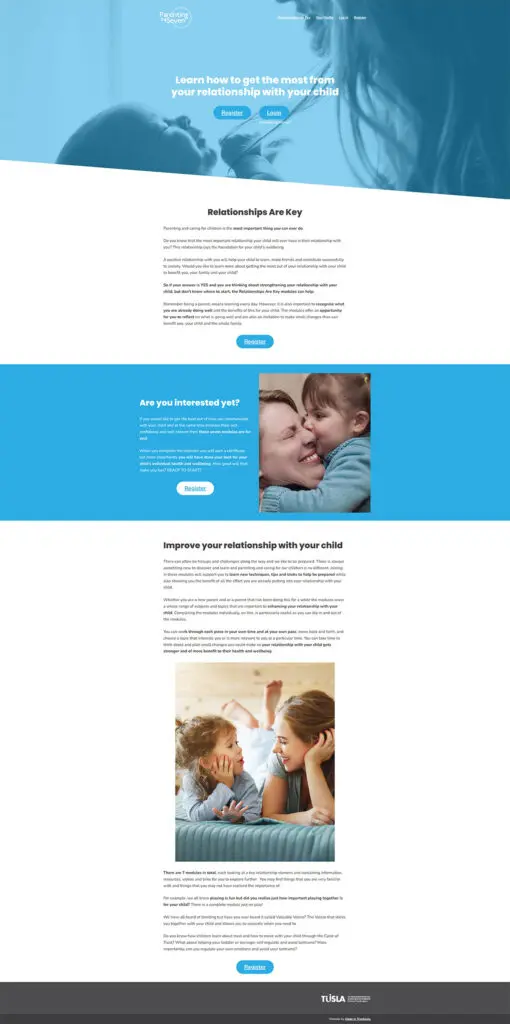
Every website we build is now designed and tested to WCAG 2.2 AA, with keyboard and screen-reader checks, and we show your team how to keep content accessible after launch. We’re also bringing the sites we already look after up to the same standard: on Tusla’s Parenting24seven learning site, for example, we’re adding captions and transcripts to the explainer videos.
If accessibility is only one of several problems with your current site, our checklist of signs your charity has outgrown its website may help.
Questions charities ask
Is our charity legally required to have an accessible website?
It depends on where you are, what services you provide and how you're funded. Equality law in both Ireland and the UK expects service providers to make reasonable accommodation or adjustments for people with disabilities. Specific website rules apply to public sector bodies, and to some charities that deliver public services or services for people with disabilities. Building to WCAG 2.2 AA is the safest answer either way.
Does the European Accessibility Act apply to charities?
It covers certain products and consumer services, including e-commerce, but not microenterprises providing services. If your charity sells to the public online and has 10 or more staff or over €2 million in turnover, check the CCPC's guidance or take advice.
How much does it cost to make a website accessible?
Built in from the start, accessibility adds little to the cost of a new website. Fixing an existing site depends on how it was built: some problems are quick to fix, others mean rebuilding templates. An audit tells you which.
What is an accessibility statement?
A page on your website that says which standard you aim for, what you know isn't accessible yet, and how people can get help or report a problem. Public sector bodies must have one; for charities it's good practice.
Want to know how accessible your site is?
We can audit your current website against WCAG 2.2 AA and give you a clear, prioritised list of what to fix, whether or not we built it. Tell us about your website.