
Most conversations about a new website start with “I don’t like our current site” or “it just doesn’t work”. Both are usually true. Staff work around it every week, supporters email to ask how to renew, and nobody wants to update it. But the board has asked for a business case before it approves the spend, and “we don’t like it” won’t get it through.
A good business case is short. Boards don’t need to understand websites. They need to know what the problem is costing, what the options are, what each one costs, what you’ll get back, and what could go wrong. This guide walks through each part, with a one-page outline at the end you can adapt for your board paper.
1. Describe the problem in the board’s terms
Start with your organisation’s goals, not the website. Boards respond to members, donations, volunteers, reach and staff time. Your job is to turn “it doesn’t work” into specifics: what doesn’t work, for whom, and what it costs.
Collect evidence before you write anything:
- Staff time. How many hours a month go on workarounds: updating pages that should update themselves, chasing renewals by hand, copying data between systems, answering emails the website should answer? Put an hourly cost on it. Even five hours a month is 60 hours a year.
- What supporters can’t do. Can people join, renew, donate, book or find what they need on a phone without help? If not, how many emails or calls does that cause?
- Search and visits. Google Search Console and Google Analytics show whether people are finding you and what they do when they arrive. A falling trend, or high visits to pages that never lead anywhere, is evidence. Our guide to website KPIs explains which figures matter.
- Speed and accessibility. A slow site loses visitors, especially on phones. A site that isn’t accessible shuts out some of the people you exist to serve, and funders and public bodies increasingly expect accessible websites. Free tools such as PageSpeed Insights give you figures to quote.
- Risk. Is the site built on software that is no longer supported? Does one person (or one former volunteer) hold all the knowledge? When was it last backed up and tested?
Keep it to a few lines and a few numbers. One clear figure (“our membership officer spends about 8 hours a month chasing renewals by hand”) does more than a page of description.
2. Show the options, including doing nothing
Boards like to see that you’ve considered alternatives. Three are usually enough:
- Do nothing. Not free: the staff time, missed sign-ups and risks from section 1 carry on, and an old site usually gets more expensive to keep running.
- Improve the current site. If it’s on a sound platform and mostly works, redesigning key pages and fixing the biggest problems may be enough, for less money.
- Rebuild. If it’s slow, hard to update, or built on tools that are no longer supported, a rebuild usually costs less over a few years than patching it.
Say which one you recommend and why. If you’re not sure, a good web partner should tell you honestly which one you need, even if it’s the cheaper option.
3. Be clear about costs, one-off and ongoing
Boards are wary of costs that grow after approval, so show the whole picture over three to five years:
- The project: planning, design, build, moving content, training and launch. Most charity websites we build cost between €3,000 and €10,000. Sites with a membership system, CRM or online courses are quoted after a conversation. Our pricing guide explains what affects the cost and what others in Ireland charge.
- Hosting and care: updates, security, backups and support. Our care plans are €49, €89 or €149 a month.
- Your team’s time: someone needs to gather content, answer questions and approve pages. Budget a few hours a week during the project.
- Extras: domain, email, any paid plugins or payment fees.
Ask for a fixed quote rather than an hourly estimate. It is far easier to get approved, and it protects you from overruns.
4. Set out the benefits you’ll measure
Promise what you can measure, and say how you’ll report it. Choose two or three measures tied to your goals, take a baseline now, and agree to report back to the board six and twelve months after launch.
Examples:
- Staff time saved: fewer hours on renewals, updates or admin.
- Members, donations or bookings online: numbers per month, compared with before.
- Search visibility: clicks from Google, from Search Console.
- Speed: page load time on phones.
What return does it need to show?
A charity website rarely pays for itself in sales, and your board shouldn’t expect it to. Show the return in two parts:
- Money and time you get back: staff hours saved each year multiplied by their hourly cost, plus any extra membership fees, donations or bookings you can reasonably expect. Use your own figures and be conservative.
- Mission results: more volunteers signed up, more people reached, more people using your advice or training. These matter to a board even when they don’t carry a euro figure.
Compare those with the total cost over three to five years from section 3. If the time saved alone covers the monthly care cost, say so. That is often the simplest argument.
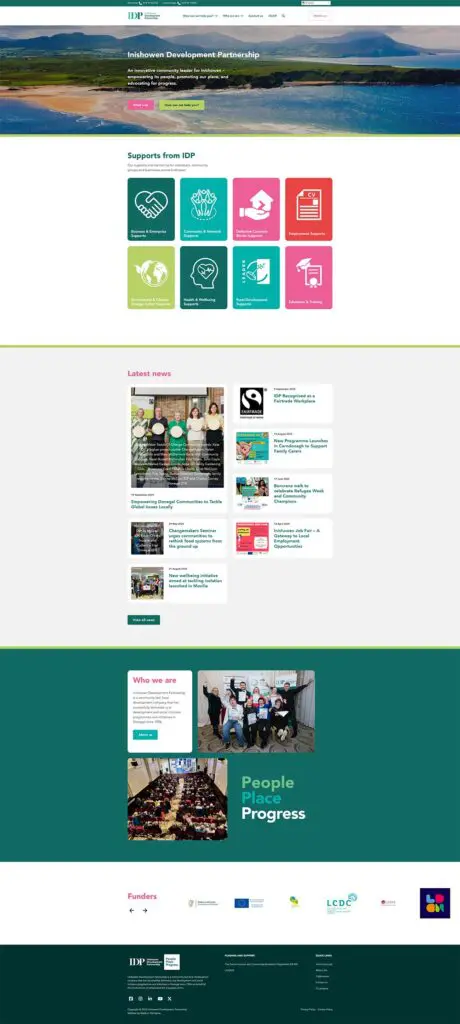
Real results help the board picture it. When we rebuilt the Inishowen Development Partnership’s website, pages went from loading in 3.6 seconds to 0.8, and clicks from Google rose 57%. Bat Conservation Ireland moved its membership from spreadsheets to a CRM: renewals now run automatically, and the charity has averaged 16 new or renewing members a month since launch.
5. Name the risks and how you’ll manage them
A board will think of the risks anyway. Naming them first shows you’ve thought it through:
- Losing search traffic. A badly planned move can drop you out of Google. Manage it by mapping old addresses to new ones, setting up redirects and checking Search Console after launch.
- The project overrunning. Agree a fixed quote, a clear scope and a timeline. Leave nice-to-haves for a second phase.
- Staff not using it. Involve the people who will update the site from the start, and make training part of the project.
- Being locked in. Ask who owns the site, the content and the data, and whether you could move it to someone else. With WordPress and open-source tools such as CiviCRM, you can.
- Something going wrong at launch. Keep the old site and a full backup until the new one is checked, so you can switch back quickly if needed.
- Data protection. If the site handles supporters’ personal data, ask where it is hosted (ours is in the EU) and how it is secured.
6. Give a realistic timeline
Most charity websites take 4 to 16 weeks from agreeing the plan to launch, and larger systems can take longer. Avoid launching just before your busiest time, such as an annual appeal, event or membership renewal season. Allow time for board sign-off at the start and for your team to write or review content.
A one-page outline for your board paper
- Summary: what you’re asking for, the cost and the main benefit, in three sentences.
- The problem: two or three figures (staff hours, missed sign-ups, speed, risk).
- Options: do nothing, improve, rebuild, with a line on each.
- Recommendation: which option and why.
- Costs: one-off project cost, monthly care, staff time, over three years.
- Benefits and measures: two or three measures, with today’s baseline.
- Risks: the main risks and how they’ll be managed.
- Timeline: start, launch and when you’ll report back.
To plan the project itself, use our free charity website brief template. It walks you through goals, audiences, features and timeline, and gives your board something concrete to approve.
Questions boards often ask
Why can't a volunteer or a cheap website builder do it?
For a simple site, they might. If you need memberships, donations, bookings, courses or a large amount of content, a builder or a stretched volunteer often leaves you with a site only one person understands. Compare the total cost over three to five years, not just the first bill.
How do we know the money is well spent?
Agree two or three measures before you start, take a baseline, and report back six and twelve months after launch.
Can we spread the cost?
Usually, yes. Most projects can be paid in stages as the work progresses, and many charities also split the work into phases: the essentials first, then extra features later. Ask your web partner what they offer.
What happens after launch?
A website needs looking after: updates, security, backups and small changes. Include a care plan in the budget so it doesn't fall behind again.
Need figures for your board paper?
Tell us about your website and what the board needs to see. We’ll give you a fixed quote, and we can help you pull together the figures for the business case. Tell us about your project.