
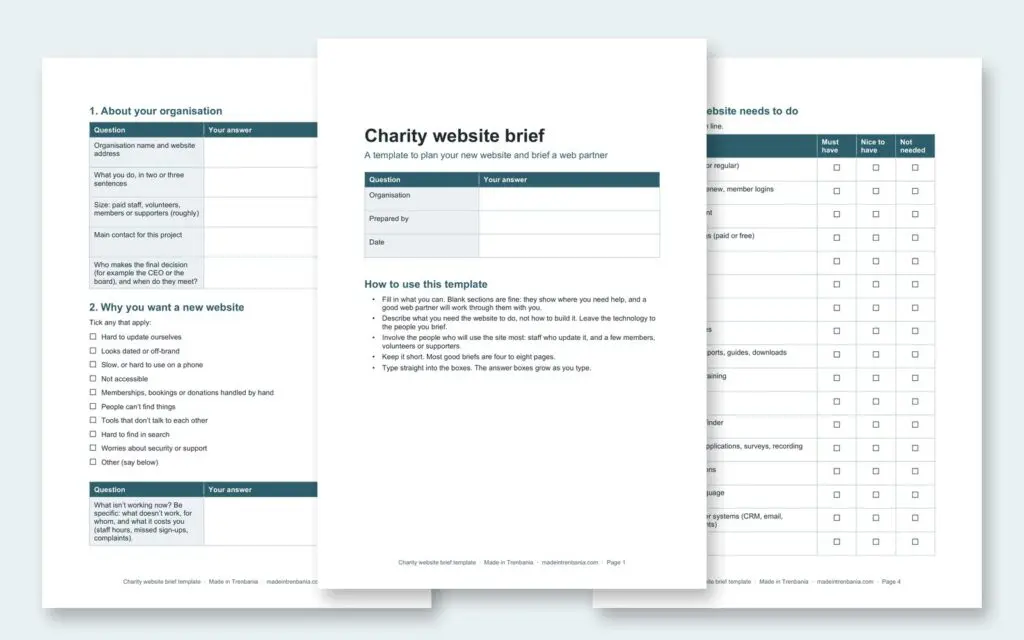
A good brief is the best start a website project can have. It helps your team agree what you need before anyone builds anything, and it means the proposals you get back are for the same job. You don’t need technical knowledge to write one, and you don’t need to fill in every section.
Get the template
Free, with no sign-up and no email address. Choose the version that suits you:
- Word document (.docx, 17 KB): type straight into the boxes
- PDF (177 KB): to print or read
- Google Docs: make your own copy (you’ll need a Google account)
What the template covers
Twelve short sections, each with questions and space for your answers:
- About your organisation
- Why you want a new website, with a checklist of common problems
- Goals, and how you’ll measure them
- Your audiences and what they need to do
- What the website needs to do: must have, nice to have, not needed
- Content
- Your current website and systems
- Look and feel
- Accessibility, privacy and standards
- After launch
- Timeline and approval
- How you’ll choose a web partner
Tips for writing a good brief
- Start with the problem, not the solution. “Renewals take our membership officer eight hours a month” is more useful than “we need a CRM”.
- Say who the site is for. List your audiences and what each needs to do. This shapes everything else.
- Separate must-haves from nice-to-haves. It keeps the first phase manageable and gives you a plan for later.
- Leave the technology to your web partner. Describe what you need, and let them propose how.
- Ask about life after launch. Who will update the site, and who looks after it.
- Involve the people who use the site most: staff who update it, and a few members, volunteers or supporters.
Common mistakes
- A brief so long nobody reads it, or so short it says nothing
- Comparing proposals without checking what each one includes
- Forgetting what happens after launch: hosting, care and support
- Not checking who will own the site, the content and the data
- Leaving accessibility out (see our guide to charity website accessibility)
Need approval first?
If your board needs to approve the project, the brief is a good basis for a business case. Our guide to making the case for a new website to your charity’s board shows what to include. Not sure you need a new site at all? Start with the 10 signs your charity has outgrown its website.
Questions about the template
Is the template free?
Yes. Download it or copy it to Google Docs, change it and use it with any web partner. No sign-up.
Do we need to fill in every section?
No. Fill in what you can. Gaps show where you need help, and a good web partner will work through them with you.
How long should a website brief be?
Usually four to eight pages. Long enough to explain what you need, short enough that people read it.
Can we send you our brief?
Yes. Attach it to our contact form and we'll come back to you with questions, honest advice and a fixed quote.
When you’ve filled it in
Send it to us with our contact form: you can attach it there. We’ll come back to you with questions, honest advice and a fixed quote. Don’t worry about gaps: working through them together is part of the job.